Media & Tools Lab
Not every piece of work is a case study. This page collects shorter craft samples, being the kind of work where the goal was to learn a tool well enough to reach for it when a project needs it. Each entry names the tool, the brief, and the decision worth noticing.
Featured: Walden book cover redesign
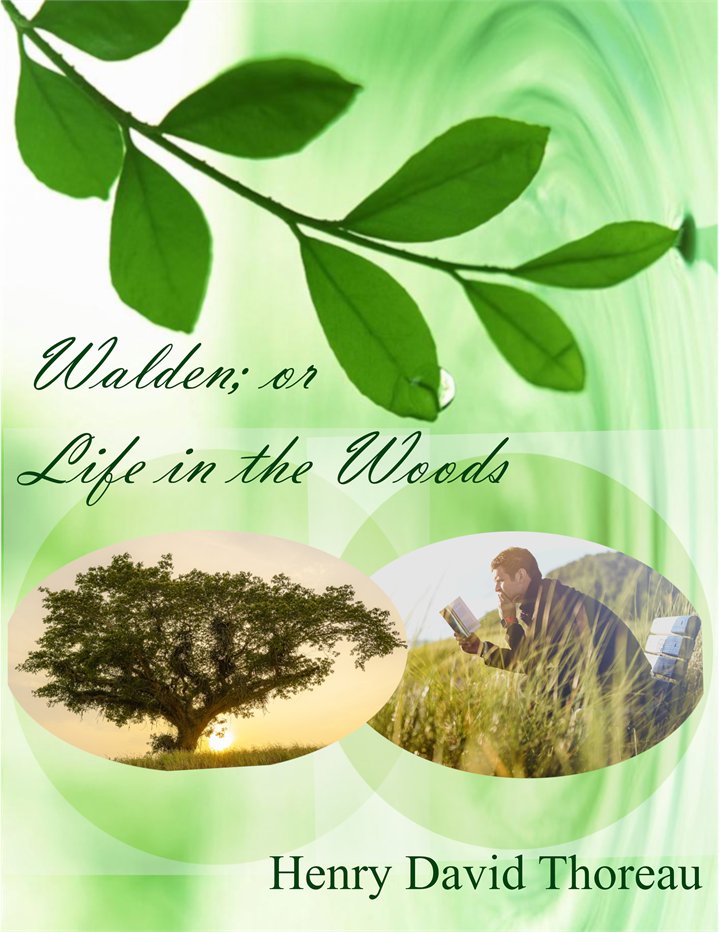
Walden; or Life in the Woods is one of the books that stayed with me from high school literature, and I have always found the covers it is given unimaginative. So, I redesigned it.
Every choice on this cover is doing a job. The design is monochromatic green because nature is not the setting of this book, it is one of its characters. The palette is simple because the book argues for simplicity, and a busy cover would contradict the text inside the book. I used fresh, modern greens rather than the muted tones this title usually receives, because it is a nineteenth century book that younger readers walk past in bookstores, and the cover is the only argument it gets to make before they do.
The background carries a ripple of water and a single droplet, because Walden Pond is the book’s setting. The tree and the man reading sit inside two overlapping circles, a Venn diagram, because the unity of man and nature is the book’s central claim, and the tree leans toward the man rather than appear straight.
The title is set in a flowing script, and that was the most deliberate decision I made. This book is usually marketed with a rugged man and an axe, which quietly informs half the potential readership that it is not for them. An unconventional and somewhat feminine title face is a small argument against that. The author’s name stays in Times New Roman, both for legibility and to signal that the man who wrote it wrote it a very long time ago.
Tools: GIMP, Inkscape
The rest of the Lab
Instructional Design Quiz
Tools: HTML, CSS, JavaScript, Brackets, cPanel
An interactive ten-question quiz built from a brief. I wrote the requirements and a design document first, covering question count, accessibility features, and color scheme, before touching any code. I then customized the layout and the styling, and worked through the JavaScript, where several variables had been left undeclared in the source and were throwing errors until I declared them. I deployed it myself over cPanel and tested it live. This project is where I first became interested in web accessibility, which turned into a considerably larger piece of work later. The quiz has since been rebuilt in this site’s palette and now meets WCAG 2.1 AA for contrast and keyboard operation.
Drag and Drop Tourist Foodie Quiz
Tools: HTML, CSS, JavaScript
A second interactive quiz using a drag-and-drop interaction pattern rather than multiple choice. The quiz has since been rebuilt in this site’s palette, with a keyboard-operable alternative to the drag interaction, so that the activity is completable without a pointing device.
Life Cycle of a Monarch Butterfly
Tools: Canva Pro, Clipchamp, Audacity
A fifteen-second animated explainer built to a brief from an early education professional. I began in the design planning stage with a storyboard and a frame-by-frame script, then prepared the assets, then built the animation and its transitions, and during the post-production stage I combined the animated video with a recorded voiceover. Short-form animation is unforgiving. Fifteen seconds leaves no room to recover from a poor sequencing decision, which is why all of the real work happens in the storyboard.
Creating a LinkedIn Banner
Tools: Camtasia, Audacity
A screencast built to a brief from a graduate career office — teach a task useful to graduate students in under four minutes. I scripted both the narration and the on-screen action sequence in advance rather than narrating live, then recorded the screen and the audio separately and synchronized them afterward. Separating the two recordings cost me time in the edit and produced a noticeably cleaner result. I used cursor highlighting, annotations, zoom and pan to direct attention, and the background music sits at 20 percent.
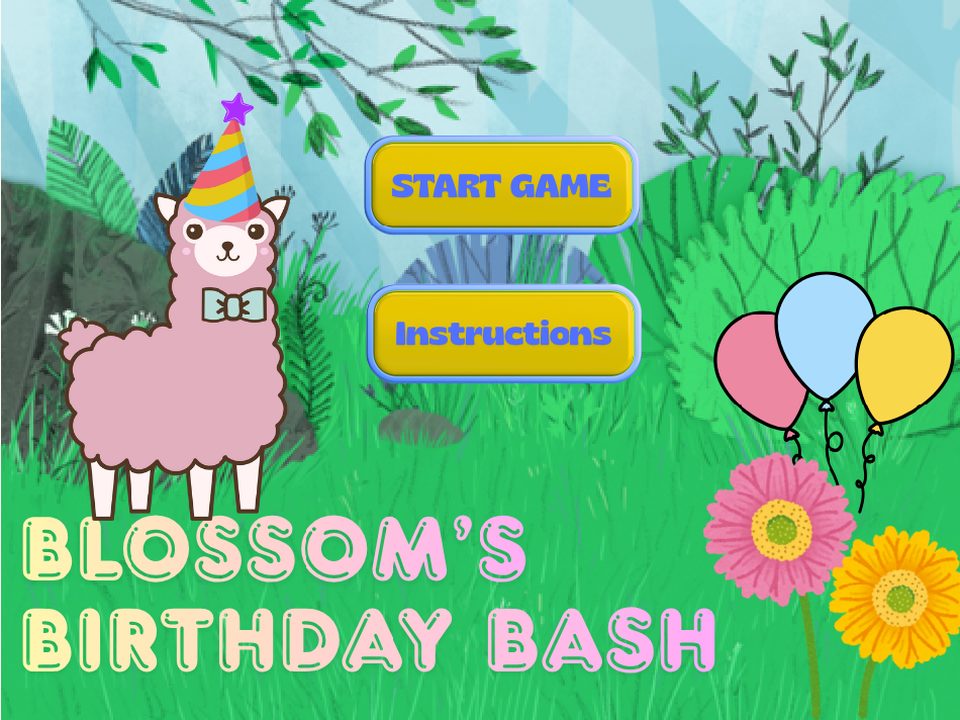
Blossom’s Birthday Bash
Tool: Scratch
A game in which a storybook sheep needs help gathering items for her birthday party and earns each item by leading young children through a mindfulness exercise — belly breathing, five senses, and visualization. The three exercises follow the gradual release of responsibility model - I do, we do, and you do. The structure of the instruction is built into the structure of the game rather than bolted onto it.
A note on accessibility. The game renders to a canvas, so it is pointer-driven rather than keyboard operable, and a screen reader cannot read it. The narration carries the full instructional content, which means a child who cannot see the screen can still follow every exercise from the audio alone. The next build adds keyboard controls and on-screen text for the narration, so that the same content reaches a child who cannot hear it.